What a digital lobby directory actually costs, screens, software, installation, and design, plus why office buildings, medical centers, and hotels are replacing static tenant boards with them.
The short answer:
- Software: $8 per screen, per month, billed annually ($96/screen/year), with a free media player per screen on the annual plan.
- Screen: most buildings use a non-touch 43" (~$495) or 50" (~$620) commercial display.
- Touch or kiosk: a touch-screen display or interactive kiosk runs roughly $900 to $3,500+ depending on format and build quality.
- Installation: $250–$350/screen through a local installer, or free if you DIY it.
- Design: $200 for a standard directory layout, or $1,000+ for a custom interactive/touch experience.
A lobby directory is one of the first things a visitor sees, and one of the most annoying things to keep updated when it's a printed board. Every tenant move-in, move-out, or suite change means a reprint, a ladder, and a few days of an outdated sign. Digital directories fix that, but pricing them out means understanding a few separate pieces. Here's the full breakdown.
Why buildings are going digital
Before the cost breakdown, it's worth being clear on what you're actually buying, a digital directory does more than look modern:
Instant tenant updates
Add, remove, or move a listing in seconds from a dashboard, no reprints, no ladders, no waiting on a vendor.
Lower cost over time
A printed directory needs a reprint on every tenant change. A digital board pays for itself over a couple of years of normal turnover.
A stronger first impression
A clean, backlit digital directory reads as more modern and better-managed than a static board with slide-in paper strips.
Wayfinding and floor maps
Show a full floor map alongside the tenant list so visitors don't need to ask the front desk which way to go.
Touch search, if you want it
Interactive kiosks let visitors tap or type a tenant name and get instant directions, useful in larger, multi-floor buildings.
One dashboard, every building
Managing directories across multiple properties? Update every lobby screen from a single login instead of visiting each site.
What you're actually paying for
Same four building blocks as any E Display product, just sized differently for a lobby use case:
Cloud software subscription, billed annually. Covers the directory CMS, remote updates, and support.
Wide range because it depends on format: a simple non-touch display vs. a full interactive kiosk.
Local installer for standard wall mounting. Free if you install it yourself.
$200 for a standard tenant-list layout; $1,000+ for a custom interactive/touch experience, based on scope.
1. Software subscription, $8/screen/month
Same pricing as every E Display product: $8/screen/month billed annually, $96/screen/year. This covers the cloud dashboard where you manage tenant listings, floor maps, and any rotating content (building announcements, weather, news tickers). Sign up on the annual plan and you get a free media player per screen, the media player that runs the directory software, normally a $50–$80 hardware cost on its own.
One dashboard, every property. If you manage more than one building, every directory, across every location, updates from the same login.
2. The screen, non-touch vs. touch vs. kiosk
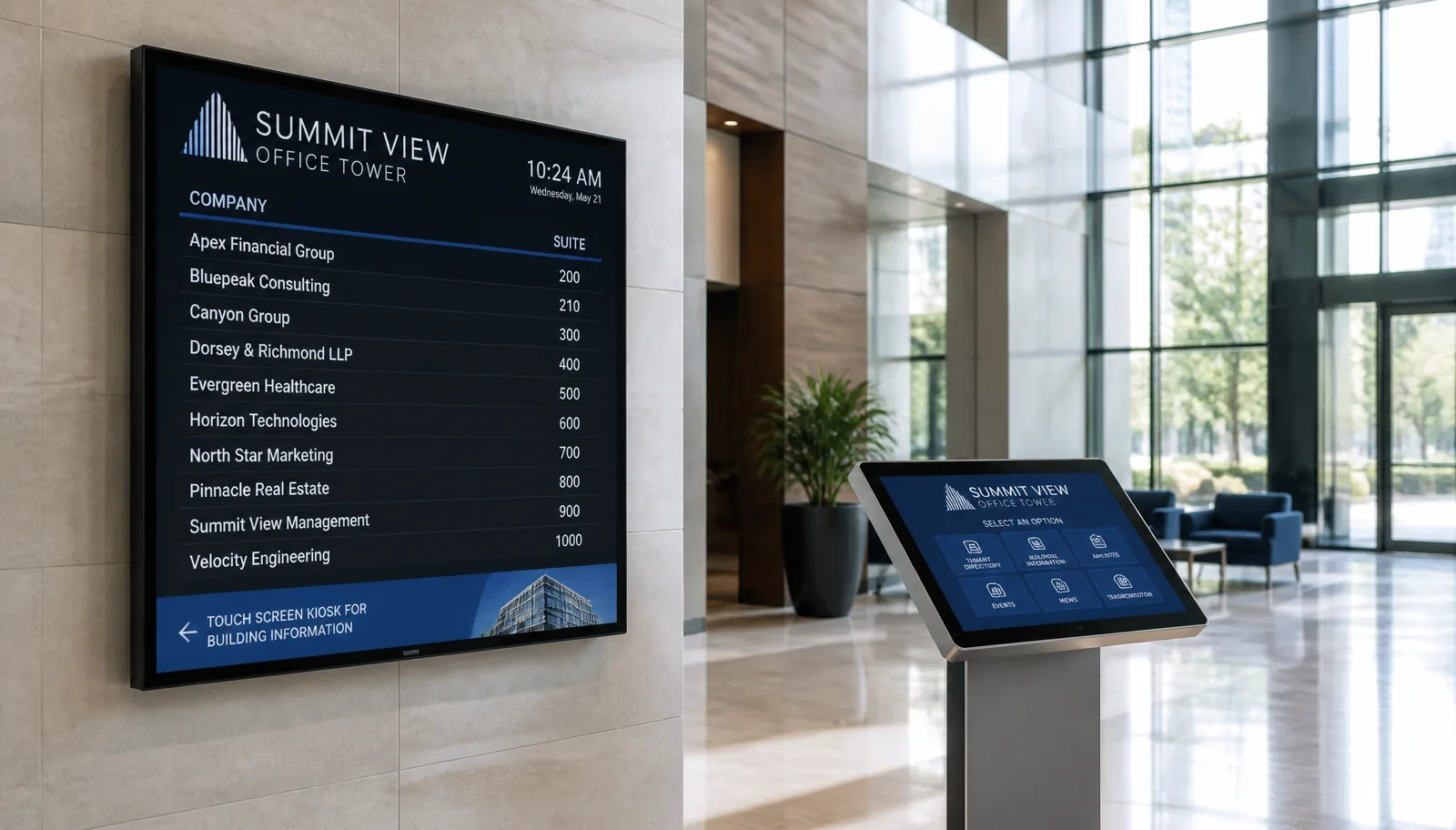
This is where directory pricing branches out more than a simple menu board, because "digital directory" can mean anything from a plain wall-mounted list to a full self-service touchscreen kiosk. Pick the format that matches how visitors actually use your lobby:
| Format | Typical price | Best for |
|---|---|---|
| Non-touch 43" commercial display | ~$495 | Smaller lobbies, single-floor tenant lists |
| Non-touch 50" commercial display | ~$620 | Larger lobbies, longer tenant lists, better visibility from a distance |
| Touch-screen wall display | ~$900–$1,500 | Visitors search or scroll a tenant list themselves |
| Interactive floor-standing kiosk | ~$1,200–$3,500+ | High-traffic lobbies, multi-floor wayfinding, self-service directions |
Swipe the table sideways to see all columns.
On touch and kiosk pricing: unlike the fixed pricing on our non-touch displays, touchscreen and kiosk hardware costs vary a lot by brand, size, and build quality, the range above reflects what's currently available from general commercial suppliers. We recommend checking current listings for exact pricing before budgeting, or asking us for a hardware recommendation matched to your space.
3. Installation: DIY or a local installer, $250–$350/screen
Same as our other products: E Display has no in-house install crew, but we can coordinate the install through a vetted local partner, quoted per site.
- DIY ($0): wall-mounted non-touch and touch displays are straightforward to mount yourself if you're comfortable with a bracket and a stud finder.
- Local installer ($250–$350/screen): covers standard wall-mount labor. Electrical, data cabling, and wall blocking are typically quoted separately.
- Floor-standing kiosks usually don't need wall mounting at all, they arrive pre-built or ship in parts for simple on-site assembly, so installation cost is often lower or unnecessary.
4. Directory design, $200 standard, $1,000+ for interactive
How much design work your directory needs depends heavily on what it does:
- Free template: a ready-made tenant-list layout you fill in yourself, name, suite number, floor. Live the same day.
- Custom design, $200 one-time: your branding, colors, and a layout built around your building (e.g. a static floor map graphic alongside the list).
- Custom interactive/touch build, $1,000+: search functionality, tap-to-navigate floor maps, multi-language support, or integration with a tenant database. Cost scales with scope, so this is quoted per project.
Sample cost scenarios
Scenario A: Single non-touch 43" directory, DIY, free template
| Item | Cost |
|---|---|
| Non-touch 43" commercial display | $495 |
| Installation (self-install) | $0 |
| Directory design (free template) | $0 |
| Software (annual, incl. free media player) | $96 |
| Total: Year 1 | $591 |
Swipe the table sideways to see all columns.
Year 2 onward: just the $96/year software renewal.
Scenario B: Single non-touch 50" directory, full service
| Item | Cost |
|---|---|
| Non-touch 50" commercial display | $620 |
| Local installer (mid-range estimate) | $300 |
| Custom directory design | $200 |
| Software (annual, incl. free media player) | $96 |
| Total: Year 1 | $1,216 |
Swipe the table sideways to see all columns.
Year 2 onward: just the $96/year software renewal (design is one-time).
Scenario C: Interactive touch kiosk, custom build
| Item | Cost |
|---|---|
| Interactive floor-standing kiosk (mid-range estimate) | $2,500 |
| Assembly / setup | $300 |
| Custom interactive design (search + wayfinding) | $1,200 |
| Software (annual, incl. free media player) | $96 |
| Total: Year 1 | $4,096 |
Swipe the table sideways to see all columns.
Kiosk hardware and interactive design costs vary the most of any line item here, treat this scenario as a starting estimate, not a quote.
Where Scenario B's $1,216 actually goes
Ways to bring the cost down
- Start non-touch. Most lobbies don't need interactivity, a well-designed static tenant list and floor map covers the core benefit at a fraction of kiosk cost.
- Start with the free template. You can always upgrade to a custom design later.
- Consider a consumer-grade TV to start. A budget display can work for testing a single lobby, though it isn't built for 16+ hours of daily use.
- DIY the mount if you can. Wall-mounted formats are plug-and-play, that's $250–$350 saved per screen.
- Scope interactive design carefully. The jump from $200 to $1,000+ is driven by search and wayfinding complexity.
Frequently asked questions
Do I need a touchscreen, or is non-touch enough?
Most single-floor or small multi-tenant buildings do fine with a non-touch display, visitors just read the list. Touch and kiosks make the most sense in larger buildings where visitors need to search or get directions themselves.
Why is touch/kiosk hardware priced as a range instead of a fixed number?
Non-touch commercial displays are a commodity category with fairly consistent pricing. Touch and kiosk hardware varies a lot by brand, touch technology, size, and build quality, so we give a market range rather than a single number, we're happy to recommend a specific unit once we know your space and budget.
Does E Display handle installation?
Not directly. Most customers either DIY the wall mount or hire a local AV installer or handyman, typically $250–$350/screen. Floor-standing kiosks usually just need on-site assembly rather than wall installation.
Can I start non-touch and upgrade to a kiosk later?
Yes, the software works the same way regardless of hardware format, so you can start with a simple non-touch directory and add an interactive kiosk elsewhere in the building later without switching platforms.
Get a quote sized to your building
Tell us your lobby size, tenant count, and whether you want touch or non-touch, and we'll put together an exact cost breakdown.
Software and non-touch display pricing reflects E Display Inc.'s published rates as of July 2026. Touch-screen and interactive kiosk pricing reflects general commercial market ranges as of July 2026 and varies by supplier, brand, and configuration. Installation and design costs vary by site conditions and project scope.

About the author: Khalid Qadir
Khalid Qadir is Co-Founder & VP Business Development at E Display, with 20+ years of experience as a Principal Product Manager scaling AI-driven enterprise platforms including conversational AI, agentic automation, and digital signage and CX systems for Fortune-scale organizations.
Connect with Khalid on LinkedInStill choosing a vendor? Compare digital signage platforms head to head, run your own numbers with the digital signage budget calculator, or see our digital signage pricing at $8 per screen per month with a free media player.
Related digital signage solutions
- Building Directory solutions Wayfinding for modern spaces.