Digital Building Directory Software
Streamline navigation with interactive building directories. Perfect for corporate offices, malls, campuses, and public buildings, help visitors find their destination quickly with updated maps, tenant listings, and real-time alerts.
Why property managers choose E Display digital building directories
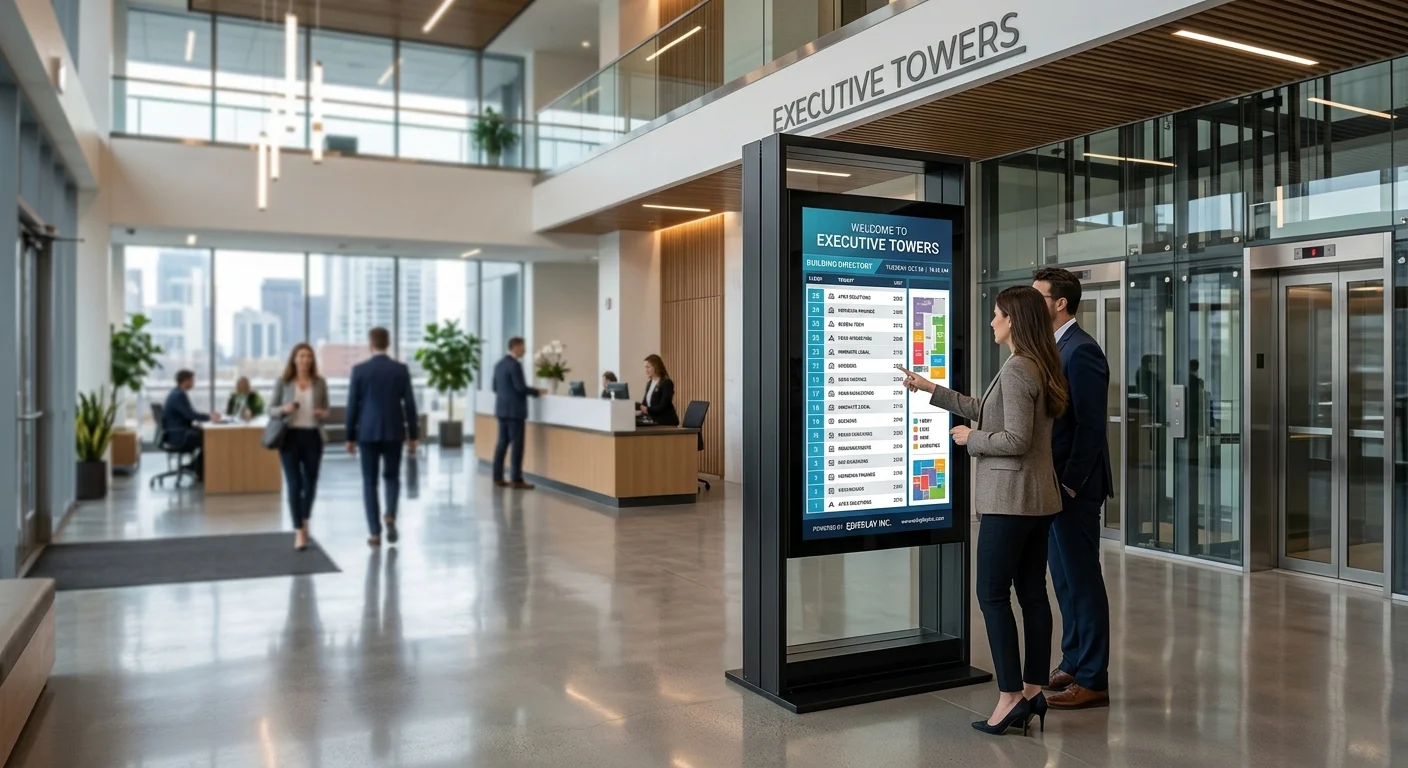
A lobby directory is the first thing a visitor reads and the last thing anyone remembers to update. Tenants move in and out, suites get renumbered, floors get reshuffled, and a printed board means ordering letter kits or waiting on a sign vendor. A digital building directory replaces that board with a screen your property manager edits from a browser in under a minute, so the tenant list in the lobby always matches the tenant list in your leasing system.
Every E Display digital building directory runs on our compact media player, or on our player app installed on a supported Windows, Chrome OS, Android TV or Raspberry Pi device, and is managed from one cloud dashboard. Portrait or landscape tenant lists, floor-by-floor groupings, suite numbers, building logo headers, live date, time and weather zones, QR codes for visitor check-in, and touchscreen wayfinding with interactive floor plans are all built from free templates, no designer and no on-site visit required.
Because listings can be driven from a spreadsheet or data feed, updates scale: change one row in a Google Sheet and every lobby screen across a portfolio reflects it within moments. Role-based publishing keeps building staff editing their own site only, emergency messages override every screen at once for fire drills, lockdowns or elevator outages, and offline caching keeps the directory on screen if the building network drops.
Digital building directory software is $8 per screen per month billed annually, with a free media player included on new annual license activations, see full pricing, browse the free signage templates you can adapt for your screens, or read about our digital signage media player that runs them.
For a full breakdown of hardware, installation, and ongoing costs, read our digital building directory cost and benefits guide, or start from one of our free building directory templates built for office towers, medical buildings, malls, and campuses. For city halls and libraries, read our guide to digital signage for government and public buildings.
Compare digital directory platforms
See how E Display's flat $8 per screen per month pricing and included media player stack up against Yodeck, OptiSigns, ScreenCloud, NoviSign and Rise Vision for building directory signage.
Ready-made building directory templates
Start from a professionally designed directory layout and customize tenants, floors, and branding in minutes.
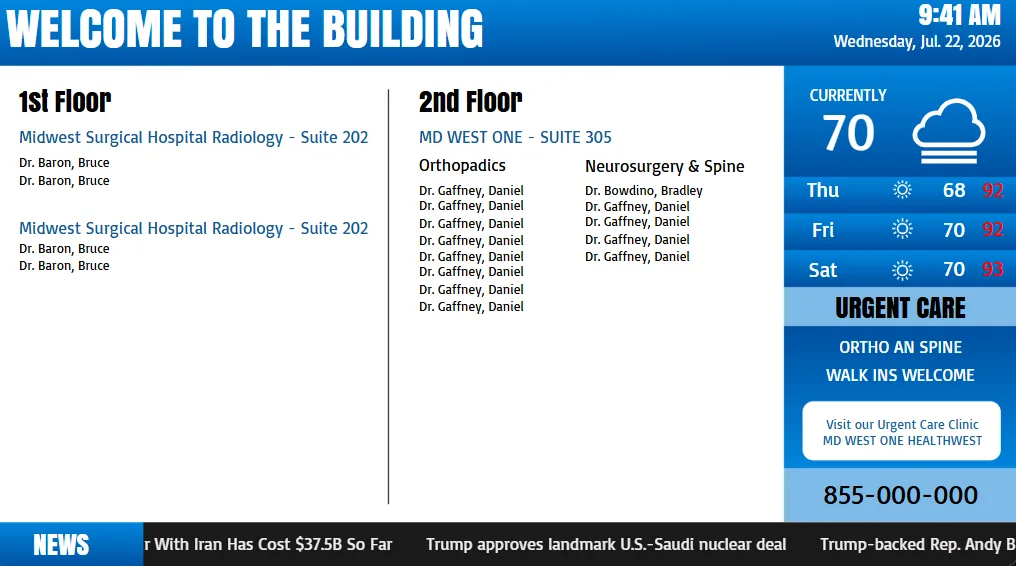
Building Directory
Building Directory
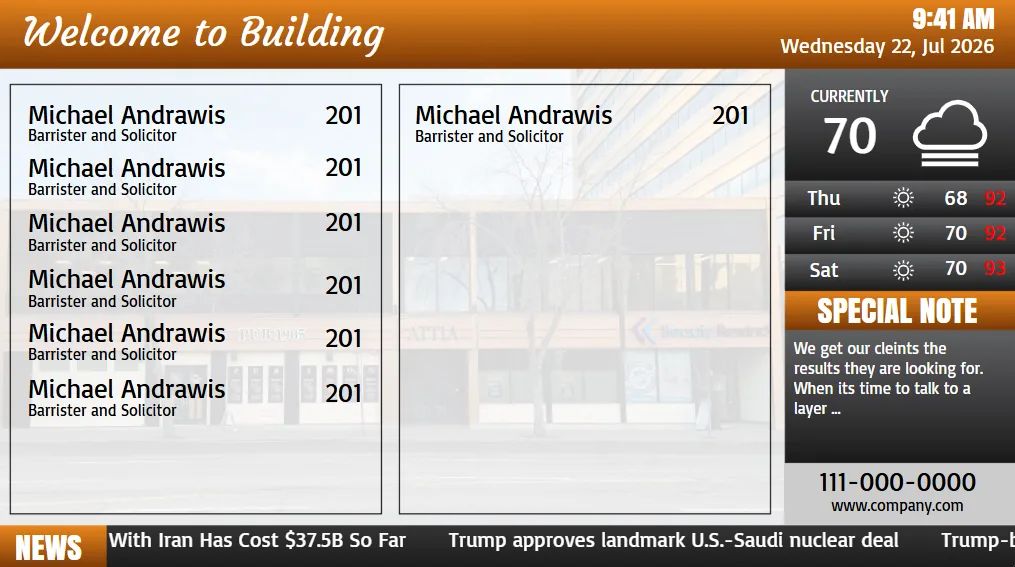
Building Directory
Building Directory
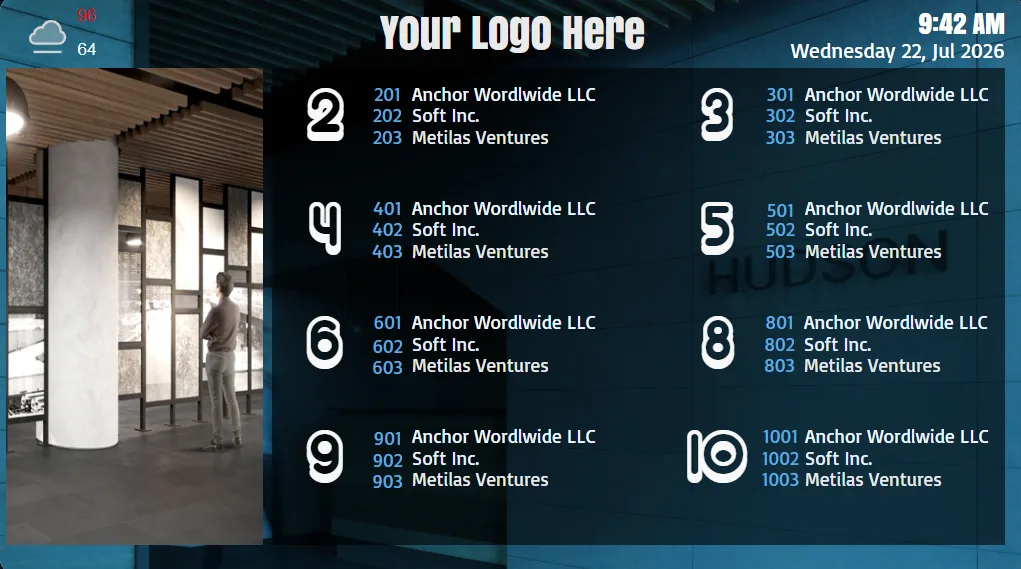
Building Directory
Building Directory
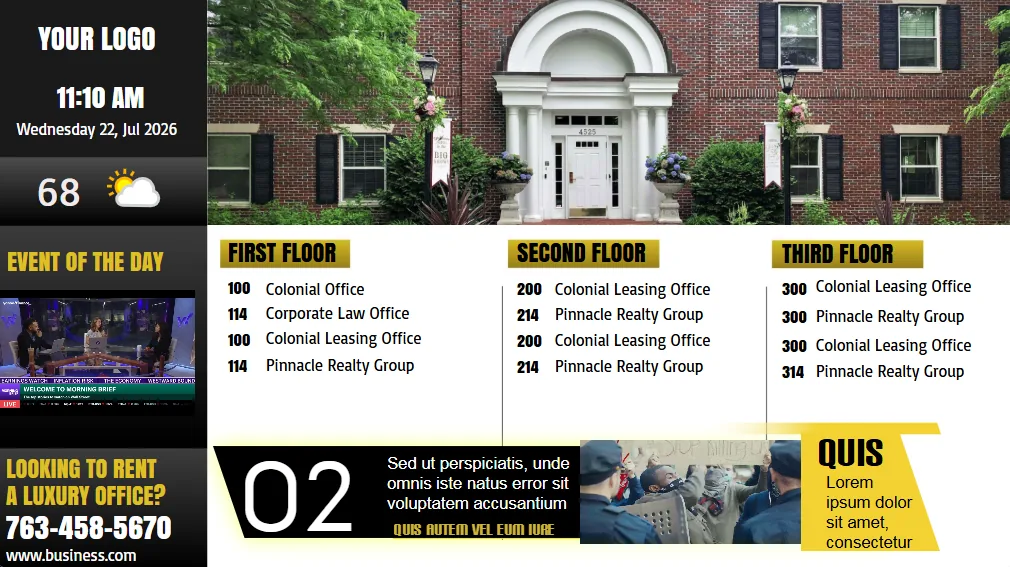
Building Directory
Building Directory
What a digital building directory costs
Software is $8 per screen per month billed annually ($96 per screen per year), and a new annual license includes a free media player, so a single lobby directory is under $100 per year to run once the screen is on the wall. Displays, mounts and optional touchscreens are one-time purchases, and free directory templates are included.
Choosing screen size, orientation and touch
Portrait orientation suits nearly every tenant directory, because a vertical list of floors and suite numbers reads the way a printed board does and fits beside an elevator bank. Landscape works better when you pair the directory with a promotional zone, amenity notices, available-suite marketing or a live weather and news feed.
For a building with fewer than about 40 tenants, a single 43 to 50 inch non-touch portrait screen is enough, since the whole list fits without paging. Above that, either add a second screen, page the list automatically, or move to a touchscreen so visitors can search by tenant name. Interactive wayfinding with floor plans and step-by-step directions is worth the touch panel in multi-tower campuses, medical office buildings and mixed-use properties where visitors arrive without a suite number.
Deploy in minutes
Plug in a TX9 TV Stick, sign in, and start publishing to any screen.
Beautiful by default
Free template library and drag-and-drop editor — no designer required.
Enterprise-grade
Encrypted delivery, role-based access, and 99.9% uptime SLA.
Measurable ROI
Track dwell time, playback proof-of-play, and campaign performance.
Building directories in the real world
A few office, campus and medical building directory installations running on E Display digital signage software.
Keeping tenant listings accurate without manual edits
The reason printed boards go stale is that updating them is somebody's extra job. E Display removes that step: keep tenants in the Google Sheet or spreadsheet your leasing team already maintains, and the built-in Google Sheets app reads it to populate the directory automatically. Add, move or remove a row and the lobby screen follows within moments, with no scene editing.
For portfolios, screens are grouped by building and site so each property shows its own tenants while head office pushes shared content, compliance notices, amenity announcements or leasing campaigns, to every lobby at once. Building staff get permissions scoped to their own location, and an approval step can gate anything customer-facing.
Installation, and proof it works at scale
Installation is deliberately simple. Mount the display, plug in the media player, connect it to Wi-Fi or Ethernet, and enter the 4-digit pairing code shown on screen into your dashboard. The screen registers itself and starts playing its assigned scene automatically, so a lobby goes live the same day and does not need a technician on site for future changes.
NT Suites, an executive office-suite provider, runs E Display digital building directories at four Texas locations, with 25 tenants across two floors kept current from a shared Google Sheet, replacing four separate manual update processes with one. That deployment is the pattern most buildings follow: reuse the leasing data you already keep, standardize one template across sites, and let the screens maintain themselves.
What's included
- Interactive touchscreen wayfinding
- Tenant and floor plan management
- Real-time emergency alerts
- Multi-language support
- ADA-compliant interfaces
Why teams choose it
Reduce reception load
Visitors self-navigate without asking staff.
Instant tenant updates
Move-ins and move-outs reflect immediately.
Professional first impression
Modern lobbies signal a modern brand.
How a digital building directory works
Three steps from unboxing to a live screen. No IT ticket, no proprietary hardware, no month-long deployment.
Plug in the TX9
Connect the TX9 TV Stick to any TV screen, connect to Wi-Fi, and register it to your E Display CMS account with a 4-digit code.
Design & schedule
Pick a free template or upload your own content, then set playlists, dayparts, and location targeting from the cloud dashboard.
Go live everywhere
Publish to one screen or thousands with a single click. Real-time proof-of-play confirms every screen is on-brand and on-time.
"Very please with this product and customer service. The product is exactly what I was looking for as a cost-effective building directory. The customer service is fantastic!!"
Free building directory templates
Every licence includes a set of free building directory templates, so you are not starting from a blank canvas or waiting on a designer. Each building directory template is a finished portrait or landscape layout with a logo header, a floor-grouped tenant list with suite numbers, and optional date, time and weather zones. You replace the placeholder tenants with your own, either by typing them in or by pointing the layout at the Google Sheet your leasing team already keeps, and the screen is ready to publish.
The templates cover the common lobby cases: a simple alphabetical tenant list, a floor-by-floor list for multi-storey buildings, a split layout pairing the directory with amenity or leasing messages, and a touchscreen version with a searchable tenant index and interactive floor plan. Type sizes, contrast and spacing are already set for reading from several feet away, and you can swap colours and fonts to match the building's branding. If you want an exact match to an existing sign programme, a custom branded layout is a one-time $200 fee per design.
Directory signs, directory boards, tenant listings: the same screen, different names
Ask three property managers what the sign in their lobby is called and you will get three answers. Some say directory signs or office directory signs, carried over from the engraved and letter-board era. Some say lobby directory board, lobby directory signage or electronic directory board. Others say digital directory signage, digital directory board, or simply an office building directory system. They all describe the same thing: the tenant list a visitor reads before they get in the elevator.
The distinction worth knowing is not the name but what is behind it. A traditional directory sign is a fixed board with slide-in strips or engraved plates, and every tenant change means ordering new inserts. A digital directory sign is a TV display on the same wall, driven by cloud software, so a change takes a minute in a browser. If you are pricing a replacement for an existing lobby directory board, you are comparing a recurring vendor charge against a $96-a-year licence and a one-time display purchase.
Accessibility comes up on the same shortlist. ADA guidance for building directories is about reach, mounting height, viewing distance, and legibility, not about whether the sign is digital. Our free directory templates use large high-contrast type sized for reading from several feet away, and a touchscreen directory or interactive kiosk should be mounted so its controls sit within the ADA reach range, typically with the operable area no higher than 48 inches from the floor. Buildings that must keep tactile signage usually pair the digital directory with the required tactile room and suite plates rather than replacing them.
Digital building directory FAQs
What is a digital building directory?
A digital building directory is a screen in a lobby or elevator lobby that lists a building's tenants, suite numbers and floors, replacing a printed or letter-board directory. Listings are managed from cloud software, so a property manager updates tenants from a browser or a spreadsheet instead of ordering new signage, and the same screen can also show wayfinding, amenity notices and emergency messages.
Can we update tenant listings from a spreadsheet?
Yes. Keep tenants in a Google Sheet and the built-in Google Sheets app populates the directory automatically, so adding, moving or removing a tenant is a single row edit that every lobby screen picks up within moments. NT Suites runs four Texas buildings this way.
Do we need a touchscreen for building directory signage?
No. Most buildings start with a non-touch portrait screen showing a tenant list grouped by floor, which is cheaper and needs no cleaning routine. A touchscreen makes sense when visitors need to search tenants by name or navigate an interactive floor plan, typically in larger towers, medical office buildings and multi-building campuses.
What screen size and orientation work best in a lobby?
Portrait 43 to 55 inch commercial displays are the most common choice, because a vertical tenant list reads like a printed board and fits beside an elevator bank. Choose landscape when you want a promotional or amenity zone alongside the directory. Buildings with more than about 40 tenants either add a second screen, page the list, or move to a searchable touchscreen.
Can one dashboard manage directories in several buildings?
Yes. Screens are grouped by building and site, so each property displays its own tenant list while a regional or head-office team pushes shared notices and campaigns to every lobby at once. Permissions can be scoped so on-site staff only edit their own building.
Can the directory show emergency alerts?
Yes. An emergency message overrides the directory on every screen in a building or across the portfolio in one click, for fire drills, lockdowns, elevator outages or weather closures, then releases back to the normal tenant listing when the alert clears.
What happens if the building network goes down?
Content is cached on the media player, so the tenant directory keeps displaying during an internet outage and syncs the latest listings automatically once the connection returns.
Can we reuse existing TVs for a building directory?
Yes. Any display with an HDMI input works: connect our media player, or install the E Display player app on a supported Windows, Chrome OS, Android TV or Raspberry Pi device you already own, and the screen becomes a managed digital directory.
How long does installation take?
Most lobbies go live the same day. Mount the display, plug in the media player, connect it to the network, and enter the 4-digit pairing code shown on the screen into your dashboard, the screen registers and starts playing its assigned directory scene automatically.
What is the difference between a directory sign and a lobby directory board?
In practice the terms are used interchangeably: directory signs, office directory signs, lobby directory boards, electronic directory boards and digital directory signage all describe the tenant list at a building entrance. The real difference is how it is updated. A traditional directory board uses engraved plates or slide-in strips and needs a sign vendor for every tenant change, while a digital directory sign is a display driven by cloud software, so a property manager edits the listing in a browser in about a minute.
Are digital building directories ADA compliant?
ADA requirements for a building directory concern mounting height, reach range, viewing distance and legible high-contrast type rather than whether the sign is digital. Our free directory templates use large high-contrast text sized for reading at a distance, and a touchscreen directory or kiosk should be installed so its operable controls fall within the ADA reach range, generally no higher than 48 inches from the floor. Where tactile signage is required, buildings keep the tactile room and suite plates and use the digital directory alongside them.
Ready to modernize your building directory screens?
Get a personalized demo of E Display for building directory, see how easy it is to launch, schedule, and scale digital signage across every location.