
What Is Digital Signage?
Digital signage is a screen that shows menus, messages, directions or promotions to people in a shared space, with the content managed remotely from software instead of printed on paper.

Digital signage, defined
Digital signage (sometimes called electronic signage or e-signage) replaces printed posters, notice boards, chalkboards and static signs with screens. A restaurant uses it for menu boards, a hospital for wayfinding, an office for announcements, a school for event schedules, and a factory for safety alerts. The same idea applies everywhere: a screen showing content that software controls. Because the content lives in software, anyone can update a message, swap a promotion, or push an emergency alert, and every screen changes in seconds. One person can run screens in one building or across hundreds of locations from a laptop.
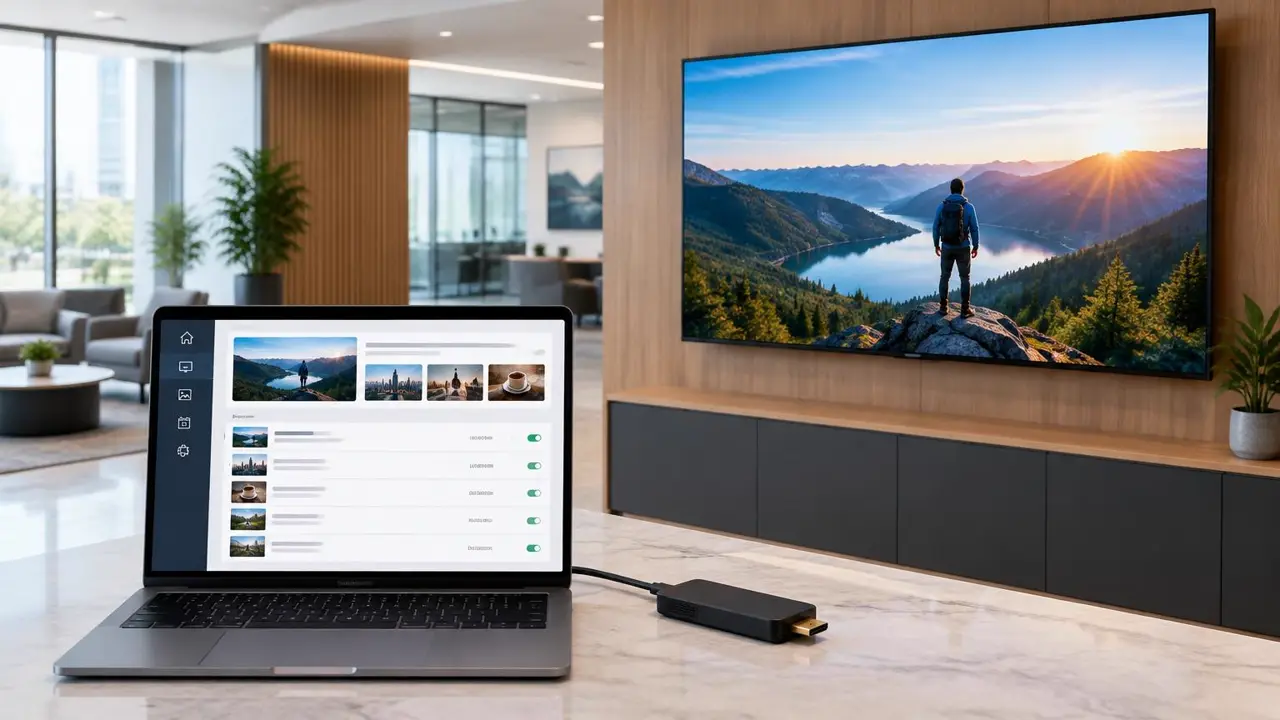
How digital signage works
Every digital signage setup has the same three parts:
A TV or commercial display in a spot people look at: above a counter, in a lobby, beside an entrance.
A small device behind the screen that downloads content and plays it on schedule, even through short internet outages.
A browser dashboard where you build content, set schedules, and publish to one screen or hundreds at once.
Learn more about each part: media players and digital signage software.
Where digital signage is used
Change prices and dayparts without reprinting.
Tenant lists and wayfinding in lobbies.
Sales and new arrivals at the point of decision.
Wait times, wayfinding and patient information.
Announcements, events and emergency alerts.
Safety messages and production dashboards.
For a deeper breakdown of formats such as video walls, kiosks and outdoor screens, read the types of digital signage.
Digital signage vs printed signs
| Printed signs | Digital signage | |
|---|---|---|
| Updating content | Reprint and replace by hand | Publish from a browser in seconds |
| Time of day | Same message all day | Schedule breakfast, lunch and evening content |
| Video and motion | Not possible | Video, animation and live feeds |
| Many locations | Ship prints to every site | Update every screen at once |
What it costs to start
E Display software is $8 per screen per month billed yearly, and each new yearly licence includes a free media player, shipped free in the US and Canada. Add a screen and you have a working sign. Use the digital signage budget calculator for a full estimate, or see free digital signage options if you are comparing no-cost tools.
Frequently asked questions
- What is digital signage in simple terms?
- Digital signage is any screen used to show information to people in a public or shared space, such as a menu board, a lobby directory, or a promotion screen in a store. The content is managed from software instead of being printed, so it can be changed at any time.
- What is an example of digital signage?
- Common examples are restaurant menu boards, building directories in office lobbies, sale screens in retail stores, wait-time displays in clinics, and schedule boards at airports, schools and event venues.
- What do you need for digital signage?
- Three things: a screen (a TV or commercial display), a media player that plugs into the screen (or app software) and plays the content, and content management software where you upload, schedule and publish what each screen shows.
- What is the difference between digital signage and a regular TV?
- A TV on its own plays whatever is plugged into it. Digital signage adds a player and software so the content can be scheduled, updated remotely, and managed across many screens from one account, without anyone touching the screen.
- How much does digital signage cost?
- With E Display, software is $8 per screen per month billed yearly, and new yearly licences include a free media player. The screen itself is usually the largest cost; a 43-inch commercial display typically runs about $495 to $600.
Keep learning about digital signage
Free and open-source options and their real costs.
Read moreThe E Display cloud platform and pricing.
Read moreHardware, 4K playback, and device compatibility.
Read moreElectronic signage terms, display types, and uses.
Read more