
What Is E-Signage? Electronic & E-Signages Explained
E-signage, or e-signages, are screens that show content you control from software instead of print. Plug a media player into any TV, publish from your browser, and every display updates in seconds.
- $8 per screen per month, no contract
- Free TX9 media player with an annual license
- 60+ built-in apps and ready-made templates
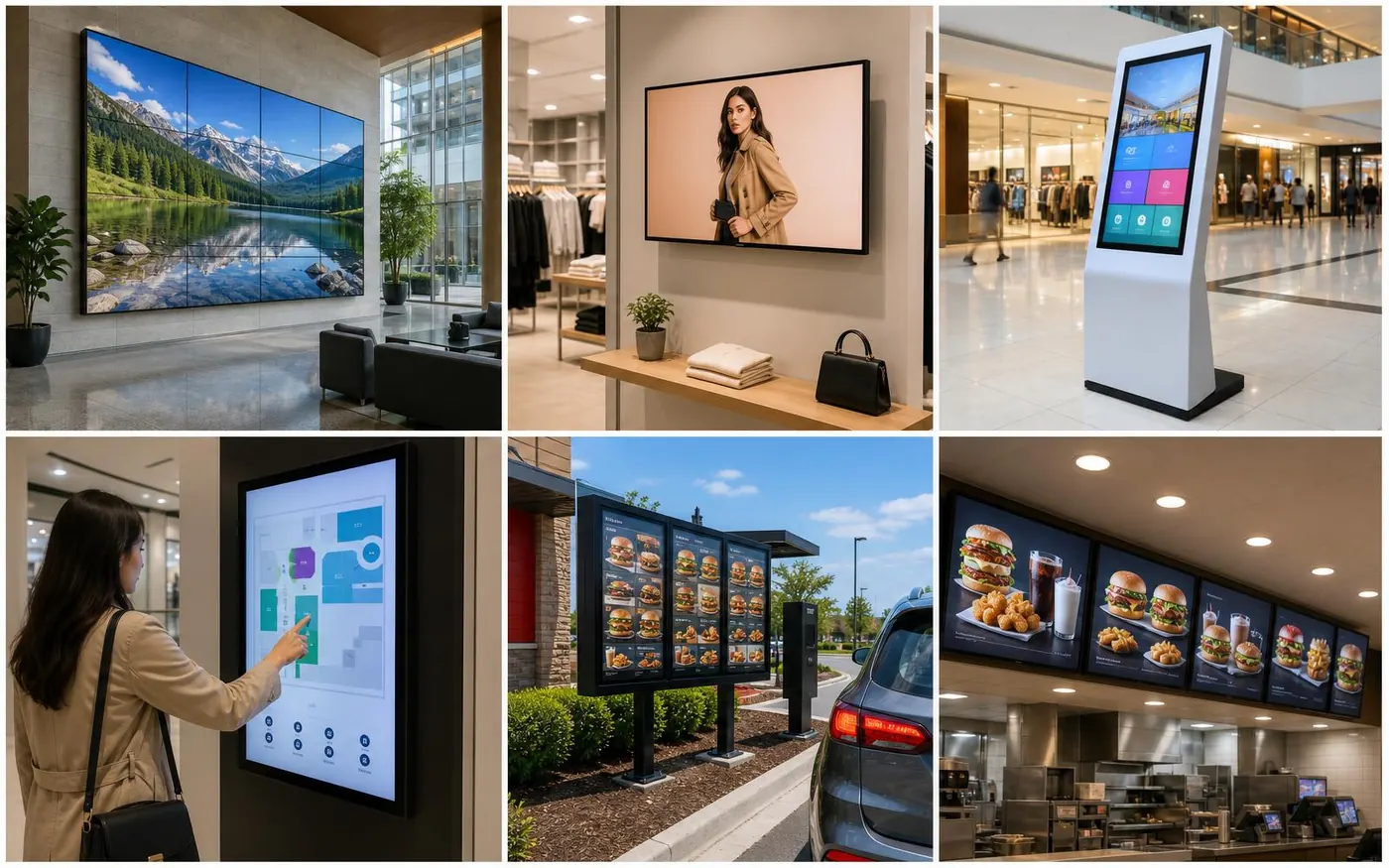
E-signage, e-signages, electronic signage, digital signage
The terms describe the same thing: displays driven by software rather than paper. E-signage and e-signages are common outside North America, electronic signage is used widely across Europe, the Middle East, and Asia, and digital signage is the standard phrase in the US and Canada. Whichever term your team uses, the building blocks are identical: a screen, a player, and a cloud platform that decides what plays and when. Our digital signage software is the platform layer, and the media player is the small device that turns a TV into a managed screen.
How an e-signage system works
Connect a screen
Plug the TX9 stick into the TV's HDMI port and power it from the TV's USB port. Join Wi-Fi and a 4-digit pairing code appears on screen.
Design the content
Start from a template or build a layout with built-in apps for menus, weather, social feeds, video, and live data.
Schedule and publish
Assign scenes to screens or groups, set dayparts, and publish. Each player downloads and caches its schedule automatically.
Want the full walkthrough with screenshots? See how it works step by step.
Why businesses switch from print to e-signage
Cheaper than print over time
No reprinting, shipping, or installation costs every time a price, promotion, or name changes.
Instant updates everywhere
Publish once and every connected screen updates in seconds, from one screen to hundreds of locations.
Managed from any browser
Cloud software means no on-site server, no VPN, and no site visit to change what a screen shows.
Works with the TVs you own
Any display with an HDMI port becomes an e-signage screen once a media player is attached.
What e-signage costs
An e-signage screen has two costs: the software license and the hardware. E Display licenses are $8 per screen per month with quarterly or annual billing, and the TX9 media player ships free with an annual license, including free shipping in the US and Canada. If you already own TVs, that is the entire cost, there is no server to buy and no installation fee.
Where e-signage is used
Digital menu boards
Restaurants and cafes swap pricing, combos, and dayparts on a schedule.
ExploreBuilding directories
Offices and multi-tenant buildings keep tenant listings and wayfinding current.
ExploreRetail displays
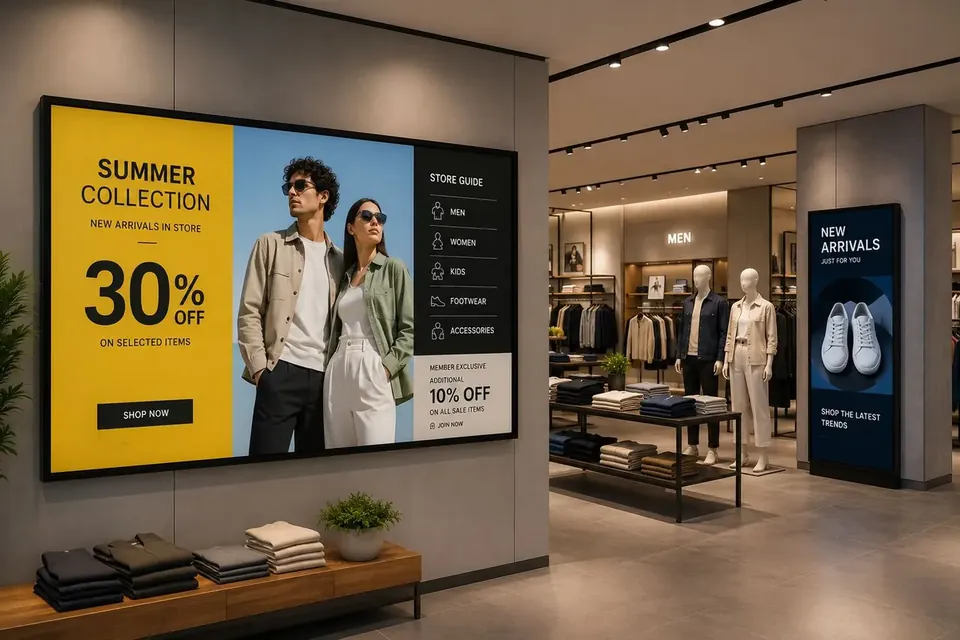
Stores run promotions, product features, and window screens by location.
ExploreHealthcare waiting rooms
Clinics show queue information, health education, and department notices.
ExploreCampus screens
Schools post schedules, events, and emergency alerts across buildings.
ExploreCorporate communications
Workplaces share KPIs, safety metrics, and internal news on office screens.
ExploreSee every vertical on the digital signage solutions hub, or browse real deployments in our case studies.
Types of e-signage displays
The word e-signage covers several display technologies, and the right one depends on where the screen lives, how bright the room is, and how long the screen runs each day.
- Commercial LCD panels
- The workhorse of indoor e-signage. Rated for 16 to 24 hours a day, typically 350 to 700 nits, and available in portrait or landscape. Best for menu boards, lobby directories, and retail walls.
- Consumer TVs
- Perfectly usable for lower-duty screens such as break rooms, waiting areas, or a single-store promo display. Dimmer than commercial panels and not warranted for 24/7 use, but they cut the hardware bill sharply when you already own them.
- Direct-view LED walls
- Modular tiles that scale to any size and stay readable in bright atriums or outdoor-facing storefronts. Higher install cost, but nothing else fills a large architectural surface as cleanly.
- Touch screens and kiosks
- Interactive e-signage for wayfinding, tenant lookup, endless-aisle product browsing, and self-service check-in. Same software and same player, with a touch layer on top.
- High-brightness window displays
- 1,500 to 3,000 nit panels designed to fight daylight in a storefront window. Required anywhere direct sun hits the glass, since a standard panel washes out completely.
- E-paper panels
- Low-power electronic paper for shelf edges, room signs, and price labels that update occasionally rather than continuously. Readable in any light and can run for months on battery.
Whichever panel you pick, the control layer is the same: a media player in the HDMI port and one browser login for every screen you own.
How to plan your first e-signage rollout
Most e-signage projects stall for the same reasons: nobody owns the content, the screen ends up in the wrong place, or the network was never checked. Work through these six points before you buy anything.
- 1
Decide what the screen is for
A screen that promotes, a screen that informs, and a screen that helps someone find a room are three different layouts. Pick one primary job per screen, and the design decisions get much easier.
- 2
Place it where people already look
Eye level in a queue, above a service counter, or facing the entrance path. A screen mounted high in a corridor nobody pauses in will be ignored no matter how good the content is.
- 3
Match brightness to the room
Under 400 nits for a dim interior, 500 to 700 for a bright lobby, and 1,500 or more behind glass. This single choice decides whether the content is legible.
- 4
Confirm power, HDMI, and Wi-Fi at the mount point
Every screen needs an outlet and a network path. Confirm signal strength at the exact mounting position, not from the middle of the room, and use wired Ethernet for screens that play video all day.
- 5
Assign a content owner and a refresh cadence
One named person, one calendar. Weekly for promotions, monthly for informational boards, scheduled dayparts for menus. Screens that never change stop being noticed within a fortnight.
- 6
Start with a template, not a blank canvas
Free layouts get a screen live the same day and stay consistent as you add locations. Custom branded designs can follow once the programme proves itself.
For budget planning across hardware, mounting, and installation, run the numbers in the digital signage cost calculator, or read the digital signage cost guide.
Choosing an e-signage platform
Look for four things: per-screen pricing you can predict, hardware you are not locked into, offline playback so an outage does not leave a black screen, and real human support when a screen misbehaves. E Display includes phone, chat, and email support on every plan, runs on Chrome OS, Windows, Android TV, and Raspberry Pi alongside the TX9, and caches content locally on every player.
Browse signage templates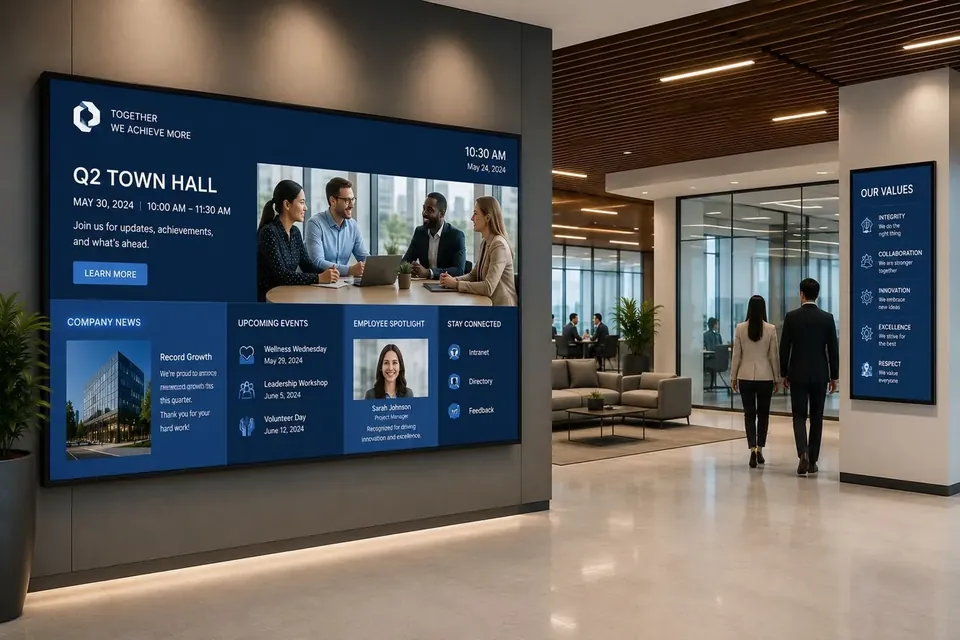
E-signage FAQs
- What is e-signage?
- E-signage, or e-signages, uses electronic displays such as LCD, LED, OLED, or e-paper panels to broadcast dynamic advertising, information, and menus. Systems are controlled remotely via cloud software so you can update content instantly across a single screen or thousands of locations.
- Is e-signage the same as digital signage?
- Yes. E-signage, electronic signage, and digital signage all describe the same category. E-signage is more common outside North America, while digital signage is the standard term in the US and Canada.
- What types of displays work with e-signage?
- Almost any modern screen works: consumer and commercial LCD TVs, direct-view LED walls, OLED displays, and even low-power e-paper panels. The only requirement is an HDMI input (or a compatible player) and a connection to the internet.
- What does e-signage cost?
- E Display e-signage licenses are $8 per screen per month, and the TX9 media player is included free with an annual license. There are no setup fees or long-term contracts, so a single-screen deployment starts under $100 for the first year.
- What hardware do I need for e-signage?
- Any TV or commercial display with an HDMI port, plus a media player. The TX9 TV stick plugs into HDMI and draws power from the TV's USB port. You can also use existing Chrome OS, Windows, Android TV, or Raspberry Pi devices.
- Can e-signage screens keep playing without internet?
- Yes. Content is cached locally on the player, so screens keep playing the last published schedule during an outage and resync automatically when the connection returns.
- How many screens can one e-signage account manage?
- One account can manage a single screen or thousands across multiple sites, grouped by location, department, or brand, with role-based permissions for each team.
- How bright does an e-signage display need to be?
- Around 350 to 400 nits is enough for a dim interior, 500 to 700 nits suits a bright lobby or retail floor, and a storefront window facing direct sun needs 1,500 nits or more. A standard TV placed behind glass will look washed out.
- Can e-signage screens run vertically?
- Yes. Screens can be mounted in portrait or landscape, and the layout is set per screen in the software, so a portrait lobby directory and a landscape menu board can run from the same account.
- How long does it take to set up an e-signage screen?
- Usually under 15 minutes for the first screen. Plug the player into HDMI, join Wi-Fi, enter the 4-digit pairing code shown on screen, then assign a template. Additional screens take only a minute each once your content exists.
- Do I need special installation or an IT team for e-signage?
- No. The player is a small stick that plugs into the TV's HDMI port and draws power from the TV's USB port, and the software runs in a browser, so there is no server to install and no VPN to configure.
Ready to put your first e-signage screen live?
$8 per screen per month, free player with an annual license.